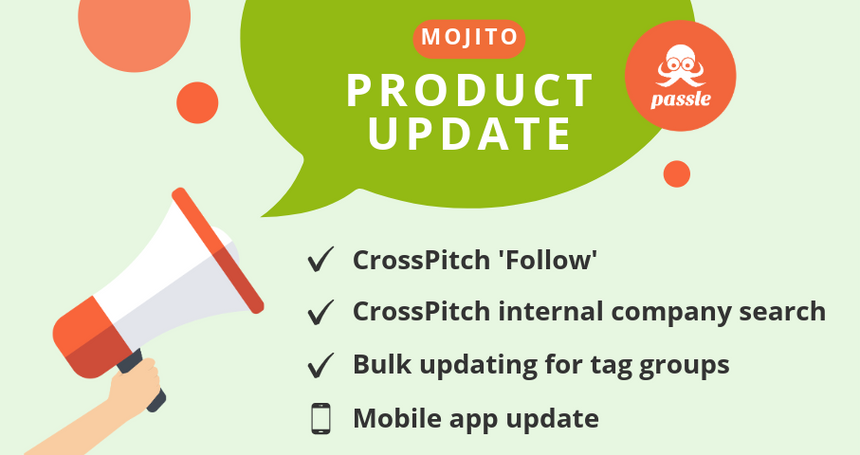


Our latest sprint is named after that well-known cocktail, ‘Mojito’. In this sprint, we focused on developing our new ‘Follow’ feature for CrossPitch AI, as well as further enhancements to the product.
If you want to learn more about the updates or have any questions, please feel free to contact the Passle Client Success Team.
Here is an overview of our new features and enhancements
CrossPitch Follow
We’ve added a new Follow feature for CrossPitch Search & Send clients. It helps you expand your connections across the firm and stay up to date with posts that support collaboration and grow your network.
You can follow someone in several ways, including through their search results or via CrossPitch notifications.

When you follow a colleague, you’ll receive CrossPitch notifications for all posts they publish, even if they haven’t met your usual sending threshold.
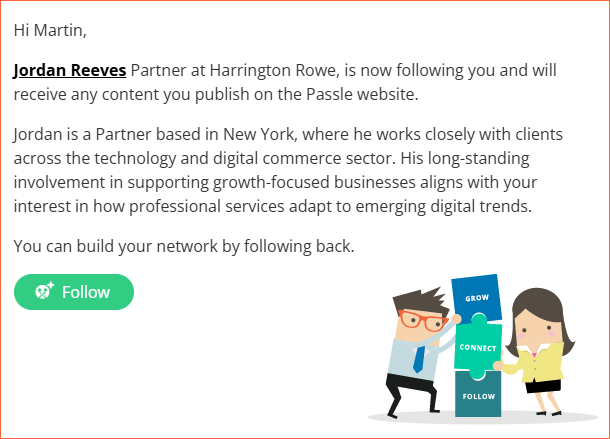
If someone follows you, you can opt to receive an email letting you know who has followed you, along with a brief overview about them and a simple option to follow back.
CrossPitch Search
Internal company search
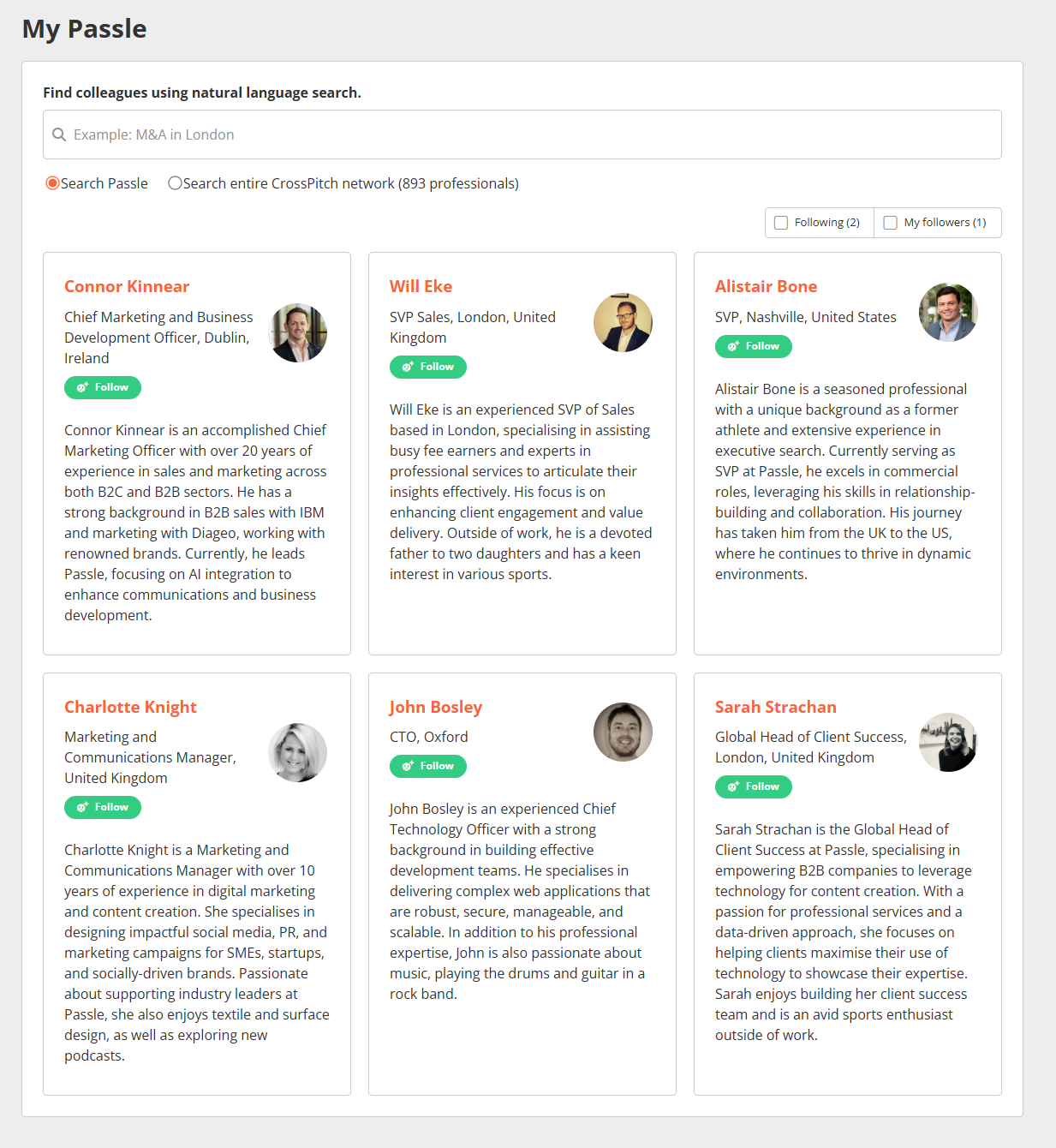
In addition to the existing external CrossPitch search on clients’ websites, we have added an internal search accessible via the Passle dashboard.
The internal search functions similarly to the external search but includes a few additional features to make finding relevant connections easier.
These include:
- Personalised search results
On first access, users will see personalised results ranked by how closely they match in sector, service, and location, supported by an AI-generated summary explaining why this person could be a valuable connection. - Search the CrossPitch network
Clients now have the option to search the full CrossPitch network, giving them access to professionals from other clients who also use CrossPitch.
Other key changes in this update, including enhancements or minor tweaks to our existing features
Tag management
Bulk upload options for Tag groups
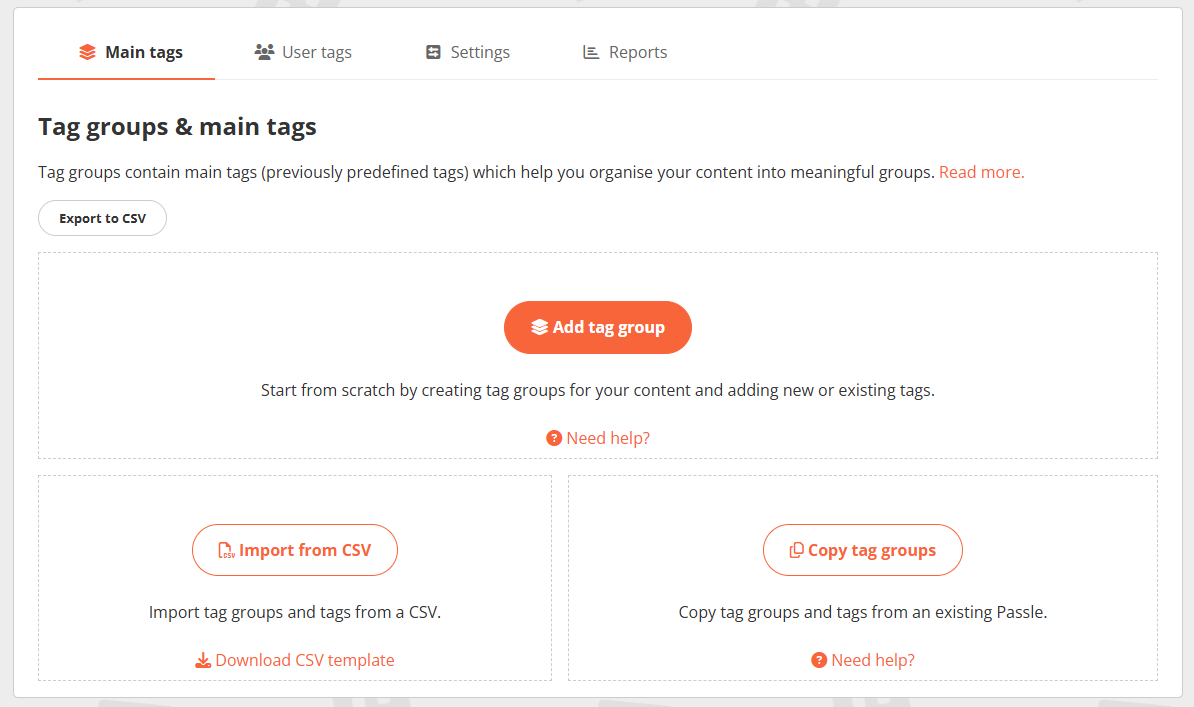
We’ve made it easier to set up new tag groups in Passle. Instead of starting from scratch and updating everything manually, you now have two faster ways to get started.
You can still create tag groups and enter tags manually, and you can edit or update any tag groups and tags after they’ve been copied or imported.
- Import from CSV
Upload your tag groups and tags in bulk from a CSV file, saving time and keeping your structure clean and organised from the start. - Copy from an existing Passle
Quickly bring over tag groups and tags from another Passle within your firm or from an associated client’s Passle. This helps duplicate an existing setup and maintain consistency across your sites.
If you would like to know more, including a full list of minor UI updates in this release, read our Release Notes: 3 December 2025 - 3.1.13 (Mojito).
Mobile app update
In addition to the above sprint, we have also released our latest mobile app update, which includes biometric login, a redesigned Team Activity page, updates to drafts and post navigation, improved activity notifications, and refreshed navigation labels. Read our Release Notes: 1 December - 4.2.0 (Apollo 17).

Your feedback is essential in shaping future updates and ensuring Passle continues to meet your evolving needs. Don’t hesitate to reach out to the Product Team with any ideas or suggestions for new features or improvements.
/Passle/53d0c8edb00e7e0540c9b34b/MediaLibrary/Images/2025-06-24-15-50-59-531-685ac963d81bf11b7522dd8e.png)
/Passle/53d0c8edb00e7e0540c9b34b/MediaLibrary/Images/2025-12-09-11-05-31-284-6938027b1b6076d9d8980f1e.png)
/Passle/53d0c8edb00e7e0540c9b34b/MediaLibrary/Images/2025-12-04-20-27-35-105-6931eeb7f170698845c6b19b.jpg)
/Passle/53d0c8edb00e7e0540c9b34b/MediaLibrary/Images/2025-12-04-21-11-08-104-6931f8ecf170698845c6ccfc.jpg)
/Passle/53d0c8edb00e7e0540c9b34b/SearchServiceImages/2025-11-21-15-03-39-268-69207f4b26700f1b95baa656.jpg)